


Filters are a very important part of a deep-sky astrophotography setup. They sit in the optical train, between the telescope and the camera, usually inside a filter wheel, and decide which part of the light reaches the sensor.
They fall into two main families, broadband filters and narrowband filters. Both exist for colour cameras and for monochrome ones, with some differences in type that we will see below.
What they are for
Almost every astrophotographer, whether shooting from a city, from its outskirts or from dark skies, has to deal with some amount of light pollution. In and around cities there is a lot of it, but even under a dark sky it is never completely absent.
A filter does not create signal and does not remove the disturbance entirely. It lets the useful light through and holds back part of the light that gets in the way, so the target stands out better against the background sky. The choice of filter depends on the target you want to photograph, the camera and the sky you shoot from.
Broadband filters
Galaxies, reflection nebulae and star clusters emit or reflect light across the whole visible spectrum, so they are best shot with broadband filters.
For colour cameras you use filters such as the Optolong L-Pro, which cuts part of the light pollution and makes the target stand out better, while keeping colours more or less natural. It goes in front of the camera and you shoot as you would without a filter.
For monochrome cameras you use LRGB filters:
- R, G and B (red, green and blue): they capture the three colour channels, which are then combined in processing to produce the colour image.
- L (luminance): it passes the whole visible spectrum and records as much light as possible, adding detail to the RGB photo. Colour comes from the three colour filters, detail from the L filter.
Narrowband filters
Narrowband filters pass only a very small slice of the spectrum, centred on the emission lines of the gases that make up nebulae:
- Ha (hydrogen alpha): about 656 nm, in the red. It is the strongest and most widespread signal.
- OIII (doubly ionised oxygen): about 501 nm, between green and blue.
- SII (ionised sulphur): about 672 nm, in the deep red, usually the weakest of the three.
They are used mainly for emission nebulae, but they also work on galaxies and, in a mixed way, on reflection nebulae, especially with Ha. They are very selective: they record only a small part of the signal, so they cut light pollution and make nebulae stand out.
The width of the band is measured in nanometres: the narrower it is, that is the lower the value (12, 7, 5, 3 nm), the more selective the filter and the cleaner and more contrasty the image. The price is less total signal, and so longer exposure times. With very fast optics, the passband also shifts slightly towards the blue, which must be taken into account when choosing the narrowest filters.
Here too there is a difference between the two types of camera:
- Colour cameras: you use dual-band filters such as the Optolong L-eNhance and L-eXtreme, which pass Ha and OIII together. A single shot already gives a colour image.
- Monochrome cameras: you use a separate filter for each gas (Ha, SII and OIII), shot one at a time. They take more time, but they let you decide how to combine the signals.
Colour palettes
With separate filters you choose which colour to assign to each of the three signals, and you get false-colour images that highlight the individual gases. The two most common combinations are:
- SHO: sulphur in red, Ha in green and OIII in blue. This is the so-called Hubble palette, made famous by images from the Hubble Space Telescope precisely to reveal the structure of nebulae.
- HOO: Ha in red and OIII in blue and cyan. It needs only two filters and gives colours closer to natural ones, and it can also be obtained with a dual-band filter.
My filters
I have little experience with colour cameras. I used older filters: the broadband Optolong L-Pro, and the narrowband L-eNhance and L-eXtreme. I have no experience with the more recent filters for colour cameras, so I do not cover them.
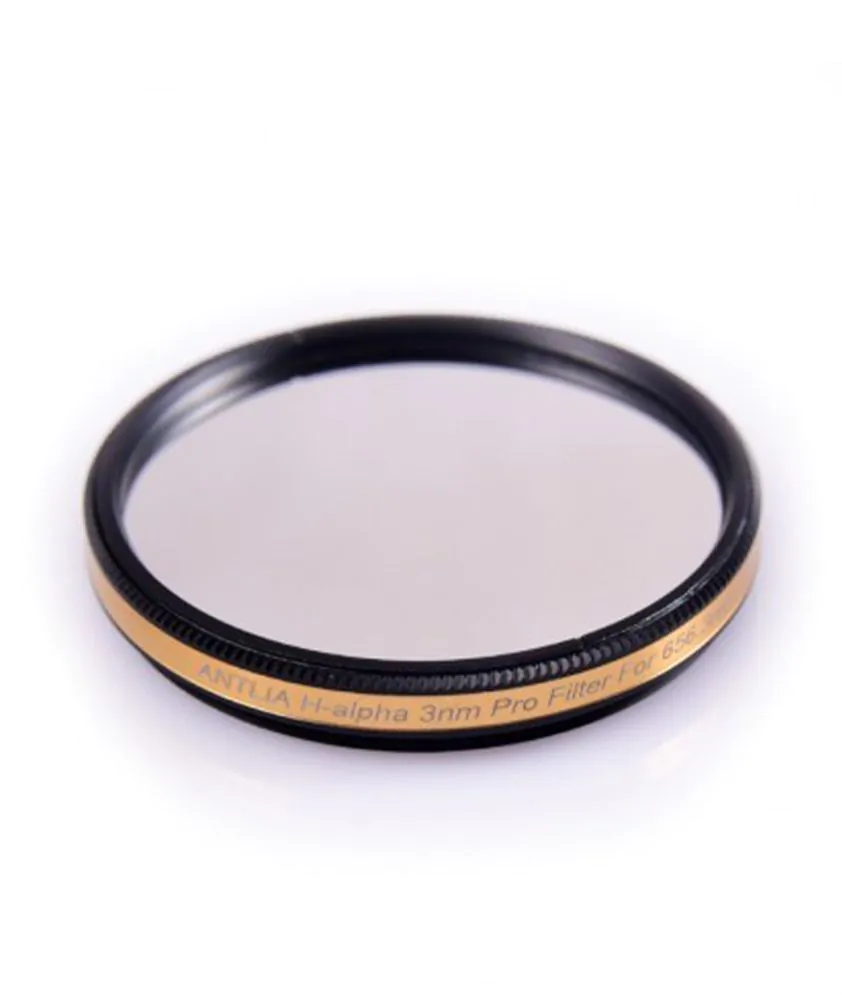
All my photos, instead, were shot with the monochrome camera and my Antlia filters: the 3 nm Pro SHO set and the LRGB-V Pro set. I shoot a few kilometres from a city, and without these filters I could not get these results.
| Filter | Camera | Band | Main use |
|---|---|---|---|
| Optolong L-Pro | Colour | Broad | Galaxies, reflection nebulae and clusters, with part of the light pollution reduced |
| Optolong L-eNhance | Colour | Narrow, dual (Ha and OIII, with Hβ) | Emission nebulae |
| Optolong L-eXtreme | Colour | Narrow, dual (Ha and OIII, 7 nm each) | Emission nebulae, even from heavily polluted skies |
| Antlia LRGB-V Pro | Monochrome | Broad | Colour (R, G, B) and detail (L) on all targets |
| Antlia SHO 3 nm Pro | Monochrome | Narrow, 3 nm (separate SII, Ha, OIII) | Nebulae, with SHO and HOO palettes |
How to choose
Before buying, it is worth considering a few points:
- Type of camera: colour or monochrome. It changes the type of filters and the way you work.
- Favourite targets: galaxies and reflection nebulae need broadband, emission nebulae need narrowband.
- The sky you shoot from: the stronger the light pollution, the more useful narrowband is. With a high Moon you can keep shooting nebulae, which is much harder with broadband.
- Focal ratio: with very fast optics, check that the filter passband is suitable.
- Filter size: they must cover the whole sensor, otherwise vignetting appears at the edges, and they must fit the filter wheel.
- Focus: switching from one filter to another may need a small correction, and with narrowband checking focus is more delicate.
- Budget: a set of narrowband filters, and in general a set for a monochrome camera, is one of the biggest expenses of the setup.
In the next articles
LRGB and SHO filters will be covered in every article dedicated to an object. I will explain which ones I used for that target and why.
Follow me
If you found this article useful and want to see my new shots, follow me on Instagram and AstroBin.
Leave a Reply